
Jupyter
SPACE includes an integrated Jupyter environment for interactive Python development and analysis. Notebooks combine executable Python code with output and explanatory content, making them useful for exploration, prototyping, data analysis, and IBM Planning Analytics workflows.
For reusable programs and scheduled automation, see Python scripts.
Creating a notebook
Open the launcher using the + icon in the upper-left corner and select a Python 3 notebook.
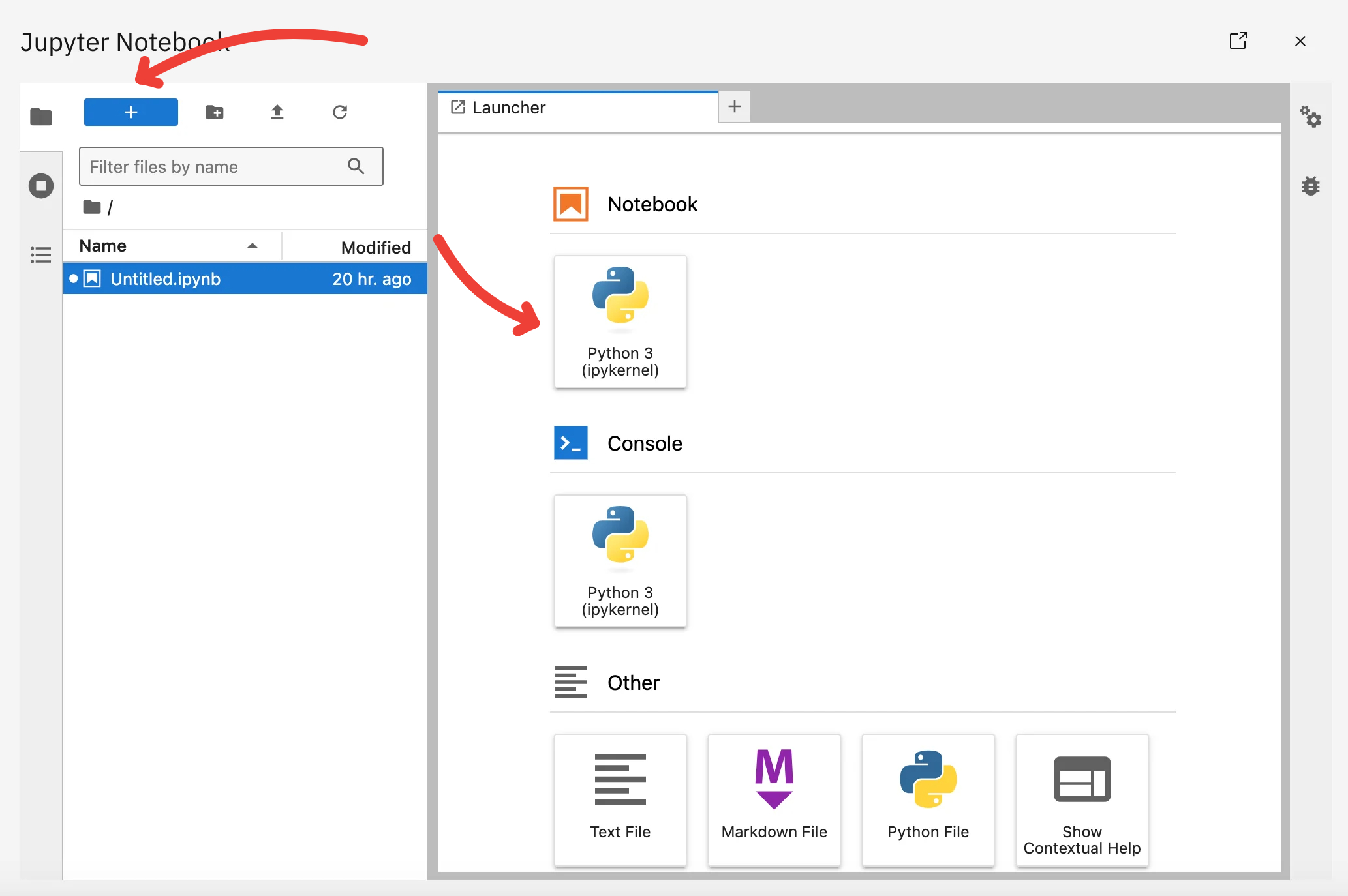
The new .ipynb file appears in the Python workspace and can be organized alongside scripts and other project files.
Working with files
Use the sidebar to navigate the Python workspace and manage files and folders.
You can create folders to organize projects and use the context menu to rename or delete files.
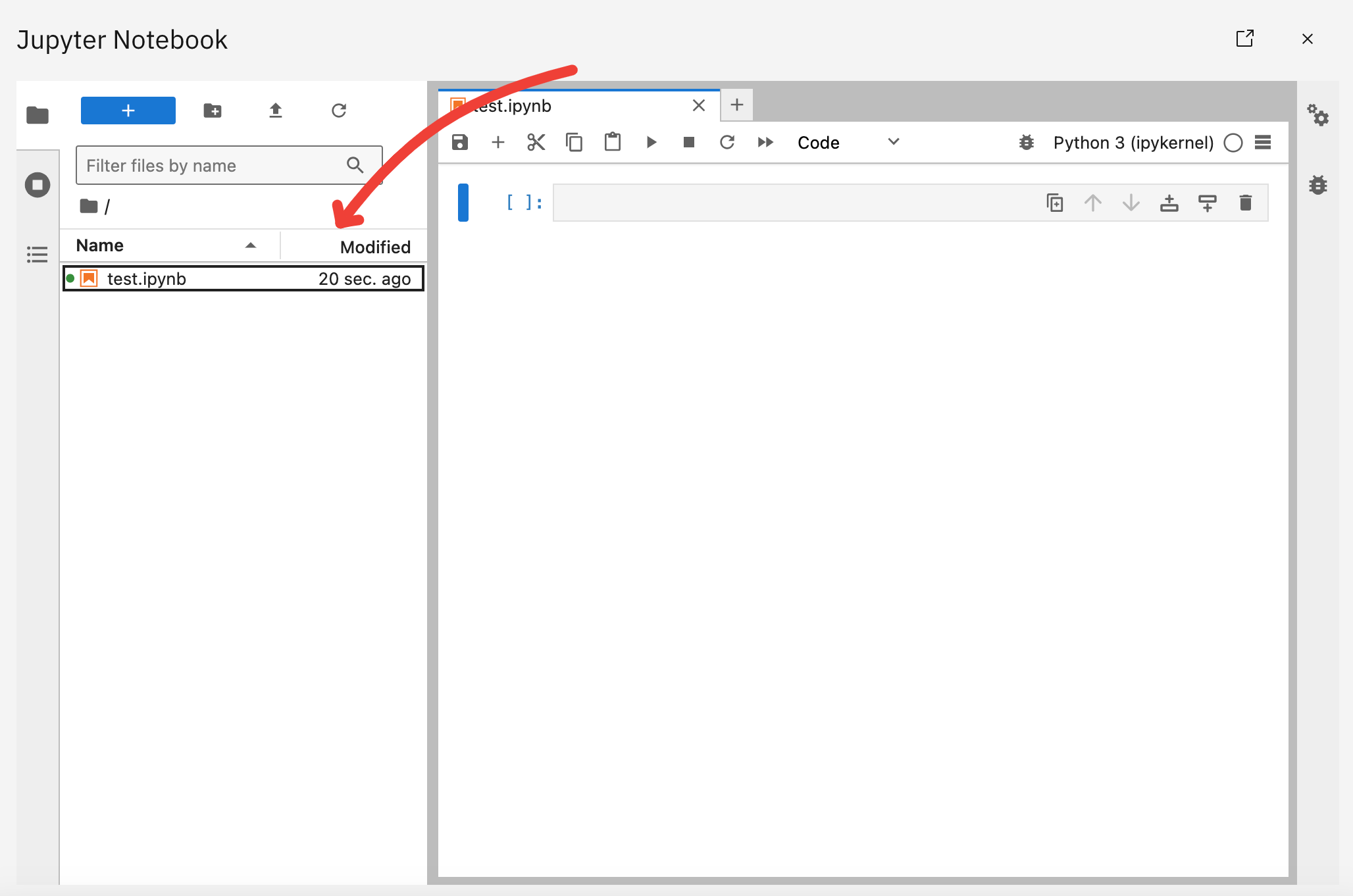
Python projects can also be maintained in Git. See Git for source-control configuration and workflow.
Running notebook code
A notebook is organized into cells that can be executed independently.
Enter Python code in a cell and run it using the Run button or Ctrl+Enter.
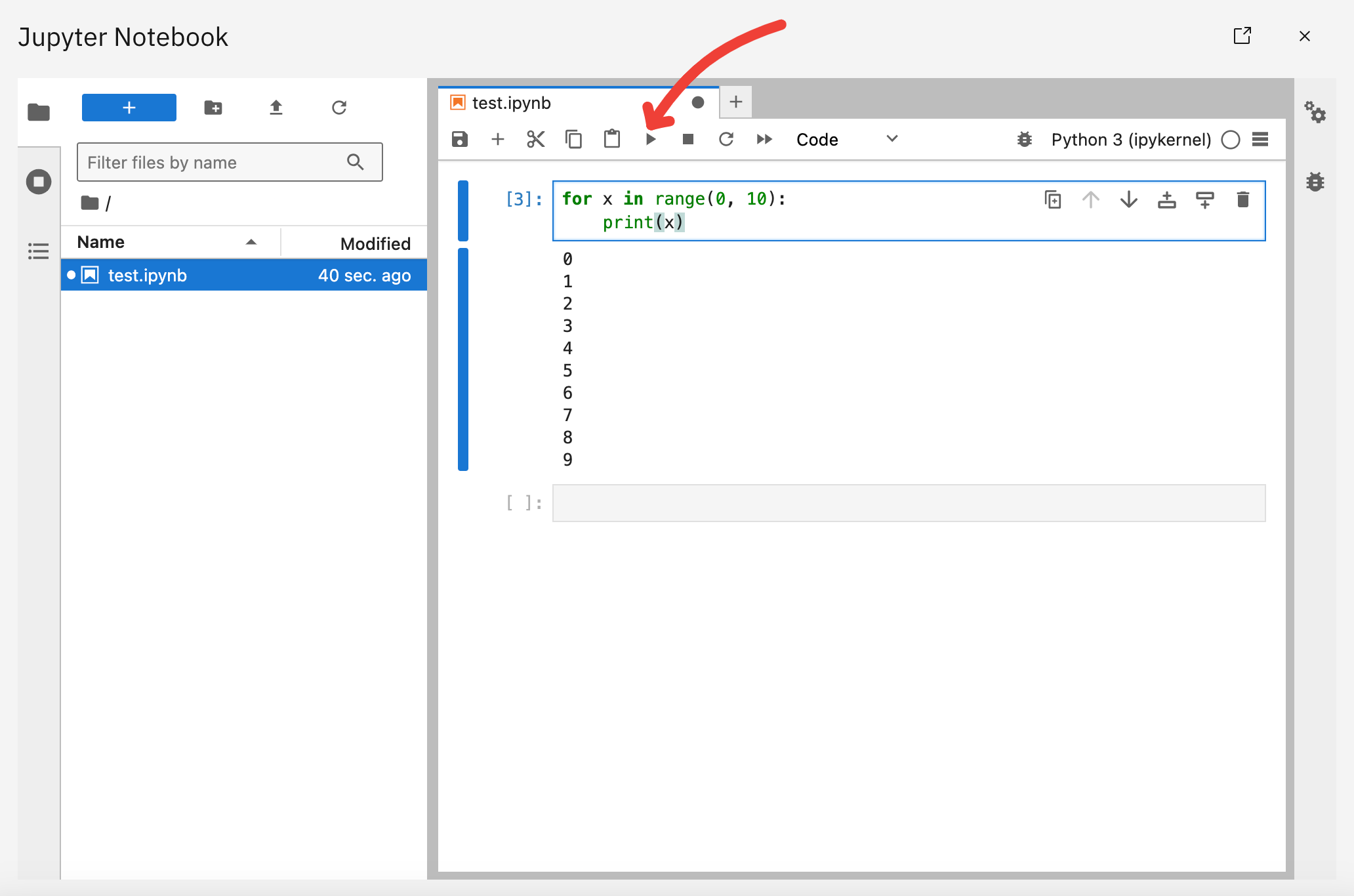
The result appears with the cell, allowing you to inspect values, tables, messages, and errors while developing an analysis incrementally.
Variables and imported modules remain available in the active kernel while you continue working in the notebook.
Kernels
A Jupyter kernel is the Python process that executes notebook cells and keeps the notebook's in-memory state.
Each active notebook session uses a kernel. Variables, imports, and other Python state created by executed cells remain in that kernel until it is restarted or stopped.
Restarting a kernel clears its in-memory state, so cells that define required variables or imports need to be executed again.
The kernel selector in the notebook interface can be used to view or select the available kernel.
Packages and SPACE resources
Packages installed in the SPACE Python environment can be imported from notebooks. See Custom packages when an additional Python library is required.
Notebooks can also use the SPACE Python SDK to access supported SPACE-managed resources, including secrets and connections.
For IBM Planning Analytics examples using the TM1py library, see TM1py.