
SPACE overview
What is SPACE?
The Succeedium Planning Analytics Cloud Extension (SPACE) helps teams generate automated, interactive TM1 model documentation, audit and trace every change, run and orchestrate Python automation, govern environments with end-to-end version control, and use AI-assisted guidance directly inside IBM Planning Analytics Workspace.
Because SPACE is embedded directly inside IBM Planning Analytics Workspace (PAW), it works within your existing security model and provides a seamless, governed experience without forcing users to switch between disconnected tools.
SPACE makes IBM Planning Analytics more transparent, automated, and intelligent—improving model quality, accelerating development cycles, simplifying support, and maintaining full governance across every environment.
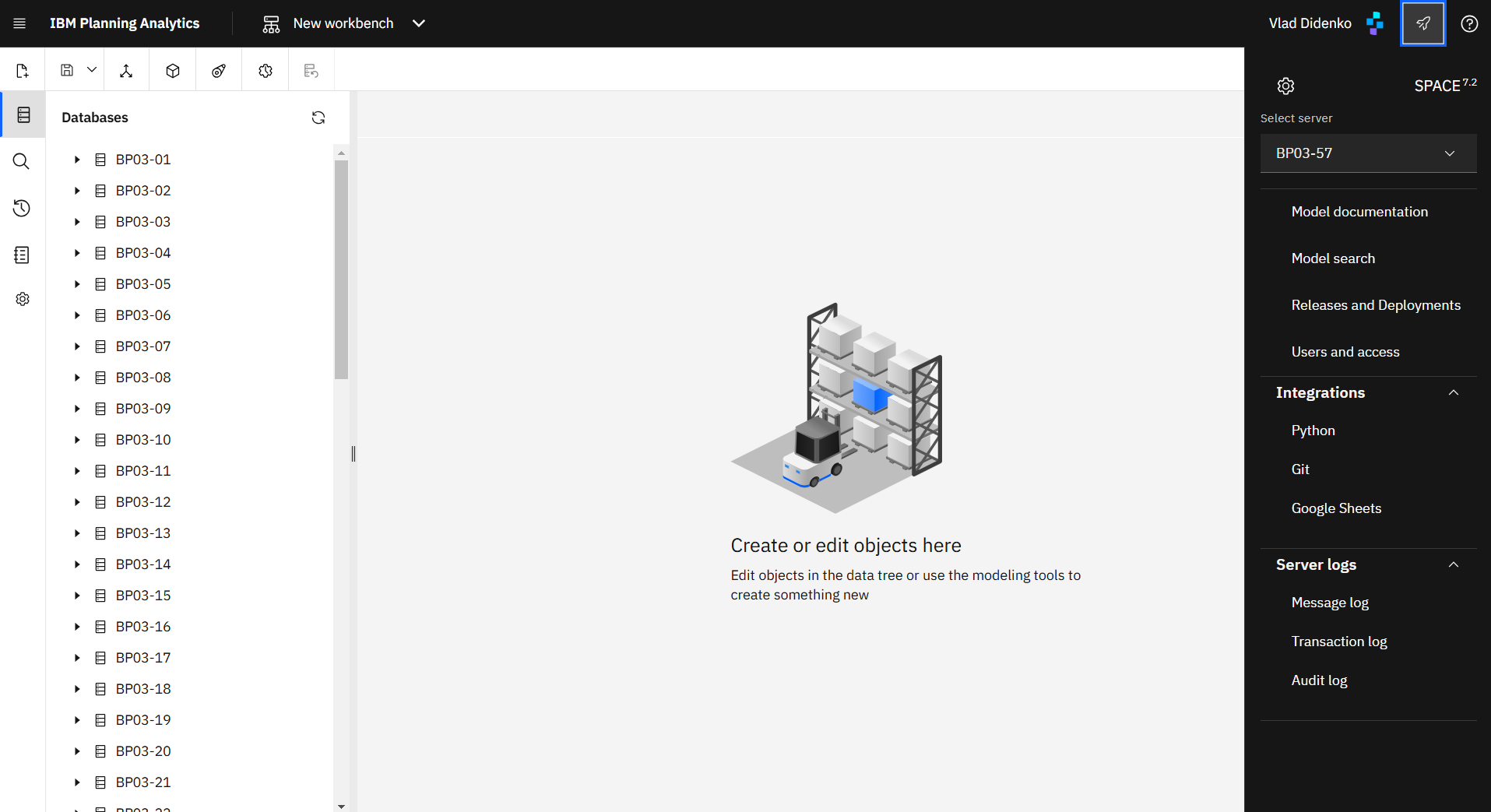
Key capabilities
- AI Assistant – Ask questions about SPACE functionality and connected TM1 models directly inside PAW. The assistant can use SPACE-controlled tools to inspect model objects, including cubes, dimensions, rules and processes, generate documentation, analyze models, investigate logs, review code and assess deployment impact, while respecting SPACE access controls and IBM Planning Analytics permissions.
- Model documentation – Automatically map cubes, dimensions, rules, and processes into an interactive diagram so teams can understand dependencies without sifting through code.
- Audit & logs – Centralize TM1 audit, transaction, and message logs in a single searchable interface, allowing even non-admins with proper permissions to investigate issues and satisfy compliance requests.
- Lifecycle management – Compare and synchronize environments, promote objects through structured releases, and keep a full trace of every deployment for governance and rollback.
- Python integration – Create, schedule, and monitor Python scripts directly in PAW to automate data flows, calculations, and integrations with external services.
- Git integration – Link TM1 models to Git repositories for collaborative version control, code review, and full history of every change.
- Security insights – Trace user access across cubes, dimensions, hierarchies, and cells to explain exactly why a user can or cannot see specific data.
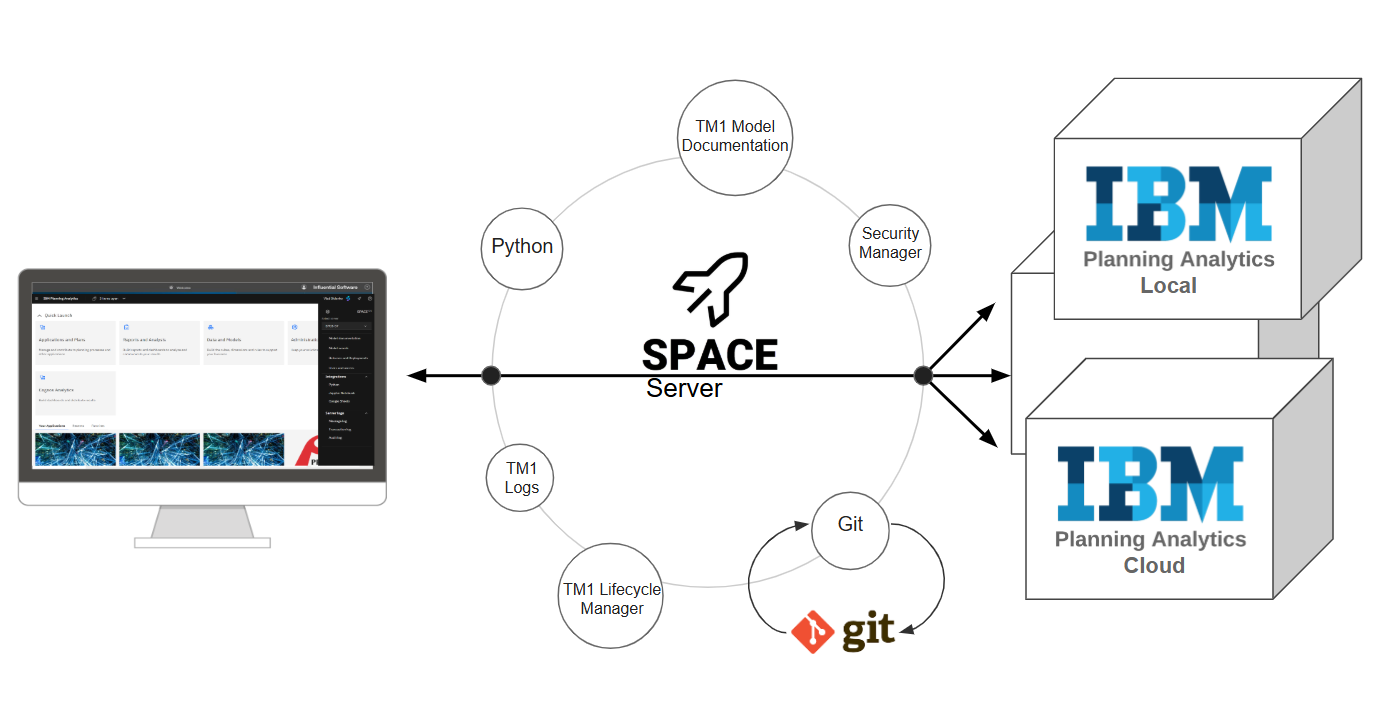
Architecture and deployment
SPACE is a containerized application that can run on AWS, Microsoft Azure, Google Cloud Platform, IBM Cloud, or on-premises next to IBM Planning Analytics Local. A single SPACE deployment can connect to multiple TM1 servers, giving administrators a unified control plane for documentation, automation, AI assistance, and lifecycle operations while respecting each server’s native security and permissions.
Depending on your IBM Planning Analytics architecture, including cloud, private cloud, SaaS, or on-premises environments with SSO, CAM, or other authentication configurations, Succeedium provides a customized welcome kit that covers prerequisites, deployment steps, and installation instructions. Please rely on the welcome kit for your environment when installing SPACE or onboarding new instances.
Roadmap highlights
- Workflow automation – Build ETL-style pipelines that connect TM1 with platforms such as Workday, Salesforce, SAP, Slack, and more to automate business processes end-to-end.
- External AI integrations – SPACE will expose an MCP server for IBM Planning Analytics (TM1), allowing external AI clients to access selected SPACE capabilities through controlled integration layers while preserving SPACE security, connection access, and IBM Planning Analytics permissions.