
AI Assistant
SPACE AI provides a task-oriented conversational interface to SPACE and connected data. Users can ask questions, analyze IBM Planning Analytics models and data, investigate issues, and perform supported development and operational tasks without first choosing a specific SPACE module or tool.
SPACE AI is not tied to a single AI vendor or model. SPACE provides the Planning Analytics integration, tools, security, and workflows, while organizations can choose among supported AI providers and models for the reasoning layer.
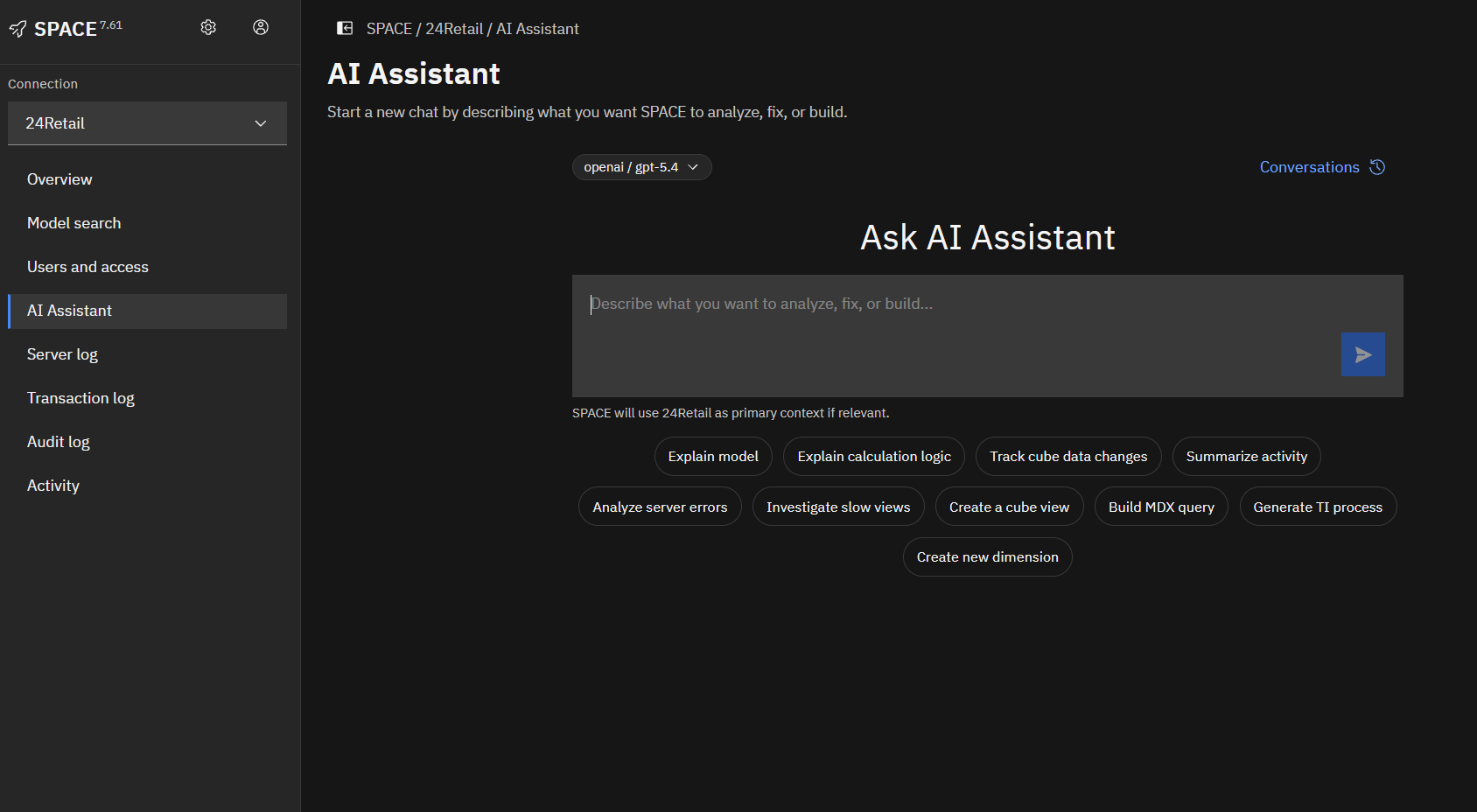
What can SPACE AI help with?
- Understand models and logic. Find model objects, explore dependencies, explain cube rules and feeders, review TurboIntegrator processes, and translate technical model logic into clear explanations. See Models and logic.
- Analyze TM1 data. Ask questions about cube data, analyze results, and investigate variances using connected IBM Planning Analytics environments. See TM1 data.
- Develop and modify model objects. Where supported, SPACE AI can help create or update Planning Analytics objects such as TurboIntegrator processes, rules, views, and subsets using SPACE-controlled tools.
- Investigate issues. Combine available model, process, job, and log information to understand errors and investigate unexpected behavior. See Investigating errors.
- Work with connected data. SPACE AI can work with supported external data sources such as Google BigQuery alongside connected Planning Analytics data, allowing questions and analysis to use more than one configured connection. See Connected data.
- Understand and use SPACE. Ask how SPACE functionality works and get guidance based on available SPACE documentation, including Python, model documentation, releases and deployments, TM1 Git, Logs, Users and access, and configuration.
Choose your AI provider and model
SPACE separates its AI capabilities from the underlying AI model. Organizations can connect supported AI providers and configure the models they want SPACE AI to use rather than being tied to a single AI vendor or model.
AI profiles allow administrators to configure provider and model options for different users and use cases. This makes it possible to use different supported providers or adopt new models while continuing to use the same SPACE capabilities, connections, tools, and IBM Planning Analytics integration.
SPACE supports configured AI providers such as OpenAI and Anthropic. Administrators control which providers, models, and profiles are available in their SPACE environment.
SPACE is also designed to accommodate enterprise AI deployments where model access is provided through customer-controlled or private AI environments. Compatibility depends on the provider and deployment configuration and should be validated for the specific environment.
See AI configuration for provider, model, and profile configuration.
How SPACE AI works
Instead of first deciding which SPACE module or tool to use, start with a question, investigation, or task. The assistant interprets the request and, where appropriate, uses available SPACE-controlled tools and configured connections to gather the information or perform the supported actions required.
For example, the assistant may find model objects, retrieve and analyze a cube rule, inspect a TurboIntegrator process, query data, investigate available logs, or review SPACE documentation before responding.
SPACE AI maintains the context of the conversation, allowing users to continue an investigation with follow-up questions without repeating all of the previous information. If a request is ambiguous or additional information is required, the assistant may ask for clarification.
See Using the assistant for more about conversations and working effectively with SPACE AI.
Governed access
SPACE AI operates through SPACE-controlled tools and configured connections. Available capabilities are governed by SPACE access controls, while the authentication and permissions of connected systems continue to apply when data is accessed.
SPACE supports SSO for IBM Planning Analytics and Google BigQuery, allowing users to authenticate with their own identity without providing their source-system credentials to SPACE. AI operations can then access connected data using the individual user's authentication and the permissions granted to that user.
For IBM Planning Analytics, SPACE can reuse the user's existing Planning Analytics session and security. SPACE AI does not replace or bypass TM1 security.
Administrators manage AI providers and model profiles under AI configuration. SPACE roles, connection authentication, and connection restrictions are described under Access and Connections.
Getting started
Start with a question or task in the AI Assistant. For example:
Explain how revenue is calculated in this model.Analyze sales by region and explain the largest variances.Why did this TurboIntegrator process fail?Explain what this rule does and suggest improvements.
Continue with follow-up questions to refine the analysis or investigate related information.
See Using the assistant for guidance on conversations and follow-up questions, or Examples for additional use cases and sample prompts.
SPACE AI can be used inside PAW or through the standalone SPACE web application. Available capabilities depend on the SPACE deployment, configured connections, AI profiles, and the user's permissions.
Reviewing AI results
AI-generated responses can contain incorrect assumptions or interpretations, particularly when the available context is incomplete or ambiguous. The assistant may ask for clarification or explain assumptions when additional context is required.
Review important analysis and changes before relying on them for business decisions or production use. For critical changes, validate the results through SPACE, IBM Planning Analytics, and your organization's standard review processes.