
Access
The Access tab in SPACE settings controls who can use SPACE and which platform capabilities are available to them.
Administrators can invite users, create access tokens for external applications and automation, manage reusable security roles, and manage centrally stored secrets.
SPACE access is managed separately from IBM Planning Analytics access. IBM Planning Analytics users, groups, and TM1 permissions continue to be managed in IBM Planning Analytics and are not replaced by SPACE roles.
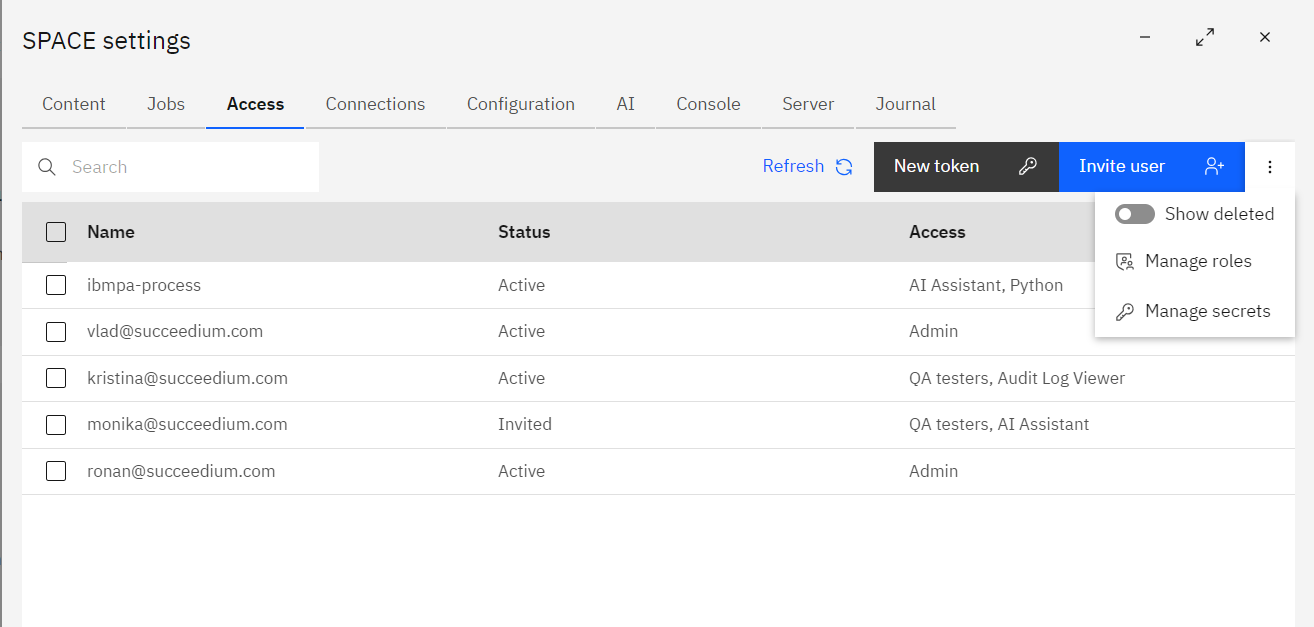
Each row shows a SPACE user or access token, its current status, and the assigned role or roles.
Access record actions
Select one or more records in the Access table to display the available actions. The actions depend on whether the selected record is a user or an access token.
For a selected user, you can:
- Edit – change the user's SPACE access and assigned roles.
- Re-invite – resend the invitation email. This is useful when an invited user did not receive or no longer has the original invitation.
- Delete – remove active SPACE access by marking the user as deleted.
For a selected access token, you can:
- Edit – change the token's SPACE access and assigned roles.
- Regenerate token – rotate the credential by generating a new token value. The previous token value becomes invalid and any application or automation using it must be updated.
- Delete – remove active access by marking the token as deleted.
Multiple users or tokens can be selected and deleted in one operation.
Inviting users
Click Invite user to add a SPACE user.
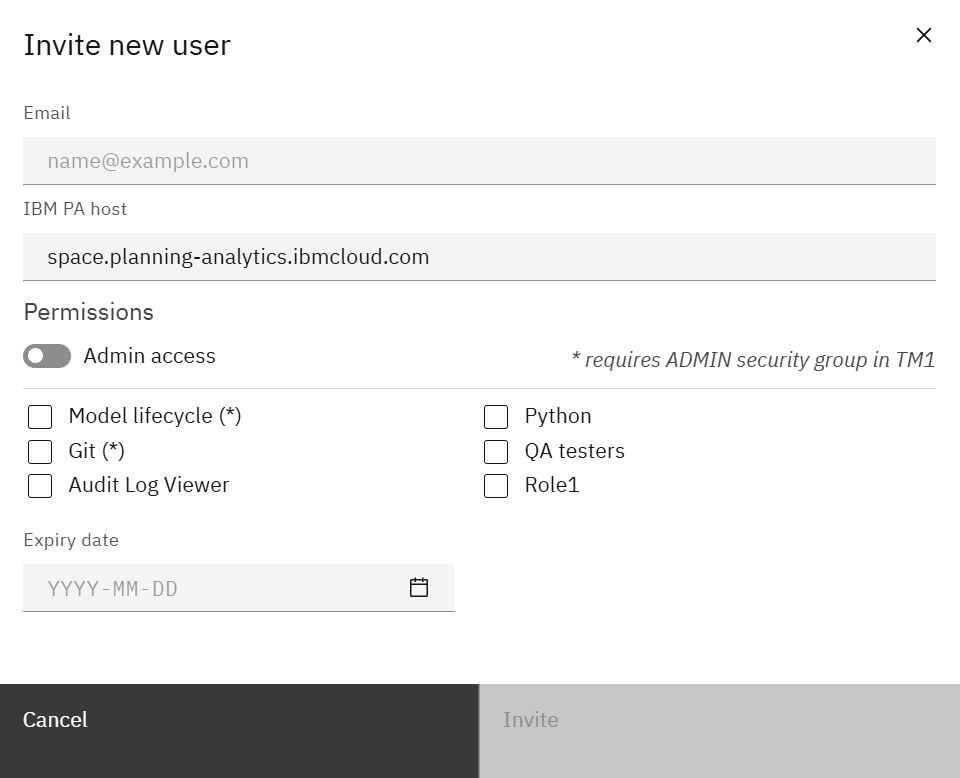
Provide the user email and assign either admin access or one or more SPACE security roles.
Depending on the authentication configuration, the invitation identifies the user who will sign in to SPACE and the Planning Analytics environment associated with the invitation.
An optional expiry date can be used when access should be available only for a limited period.
Access tokens
Click New token to create an access token for an external application, integration, or automated process that needs to call SPACE without an interactive user session.
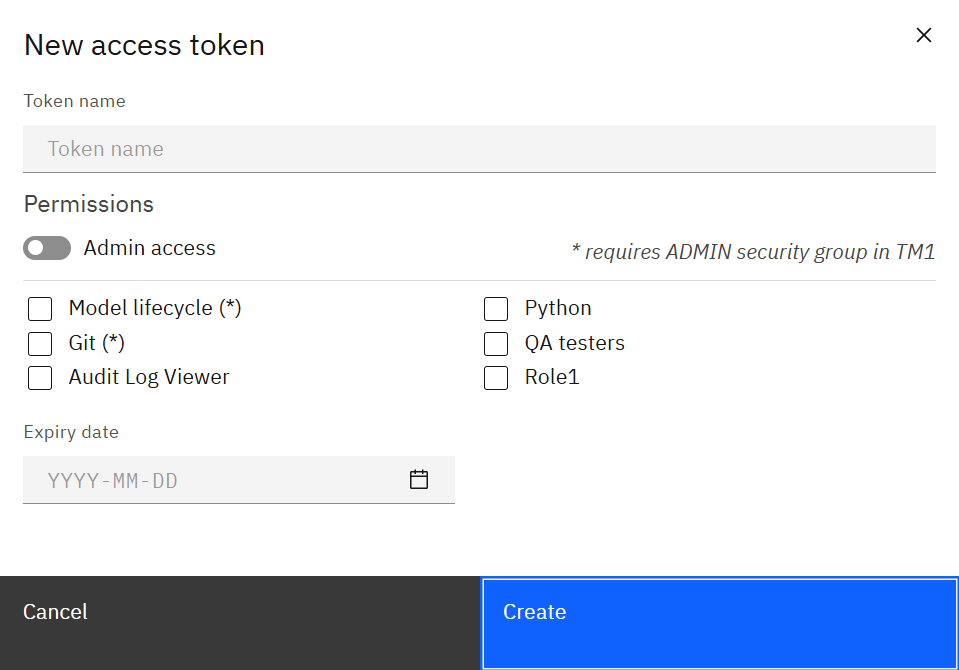
Specify a descriptive token name, assign the required role or admin access, and optionally set an expiry date.
After creation, copy the token and store it securely. SPACE does not display the token value again.
Access tokens can be used by applications that call the SPACE API. For example, an IBM Planning Analytics TurboIntegrator process can use a SPACE token to call SPACE and trigger supported operations such as running a Python script.
Assign only the roles required by the integration and use an expiry date when long-lived access is not necessary.
Security roles
Select Manage roles from the Access actions menu to configure reusable SPACE security roles.
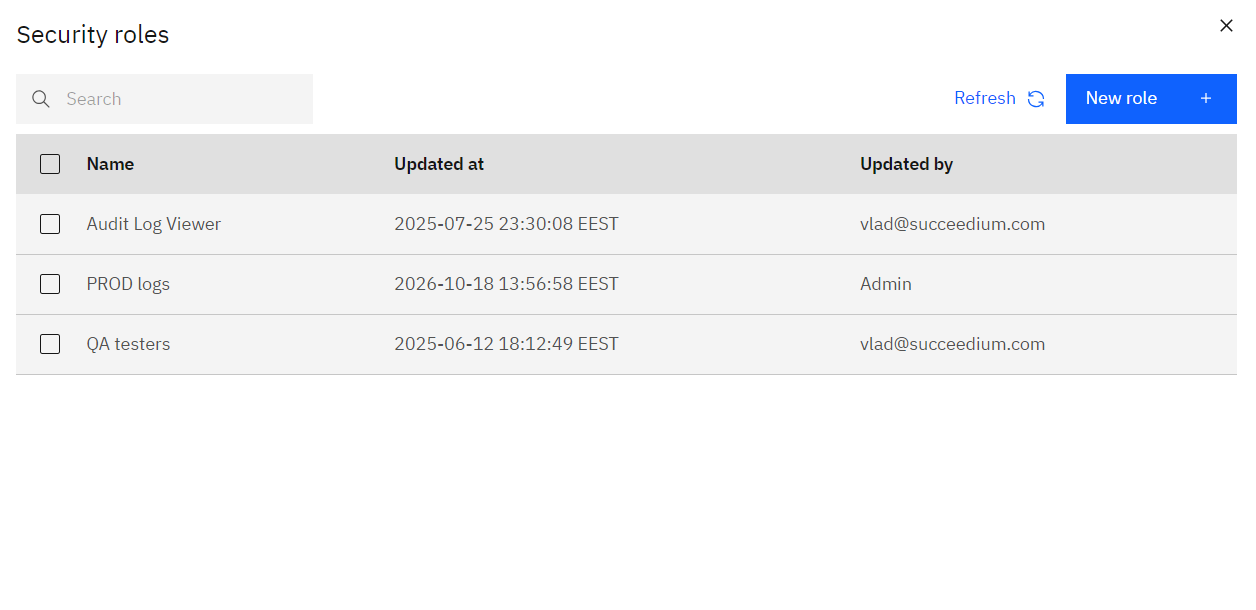
Roles group SPACE permissions so the same access definition can be assigned to multiple users or tokens.
Use New role to create a role and select the platform capabilities it grants. Editing a role updates the access of users and tokens that reference that role.
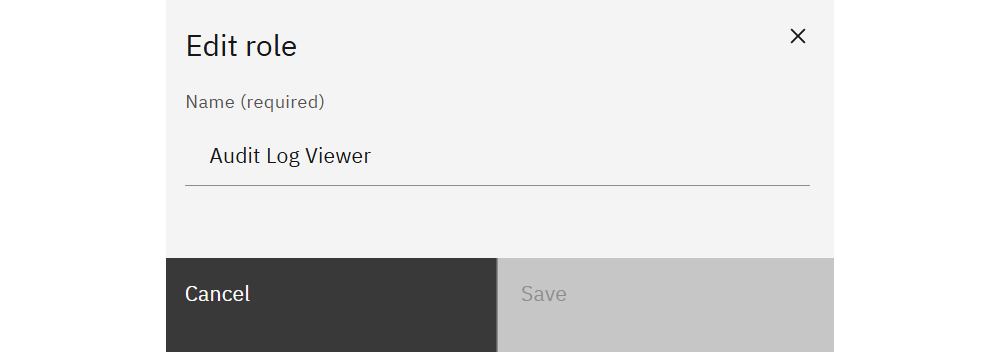
Use descriptive role names, such as Audit Log Viewer, AI Assistant, or QA testers, so administrators can easily understand their intended purpose.
SPACE roles control access to platform functionality. Connection-specific capabilities are configured separately for each connection under Connections.
Secrets
Select Manage secrets from the Access actions menu to manage credentials and other sensitive values that SPACE can make available to supported workflows.
Secrets are centrally managed by SPACE administrators and can contain fields such as usernames, passwords, API keys, or other credentials required by Python scripts and integrations.
Python code can retrieve approved secrets at runtime through the SPACE Python SDK, allowing credentials to remain outside notebooks, scripts, and Git repositories.
Secret values should be treated as sensitive configuration. Administrators can manage the stored secret definitions from SPACE settings, while Python workflows access them only when required.
Deleted users and tokens
SPACE keeps historical identity records so activity can remain attributable even after access is removed.
Users and access tokens are not physically removed when deleted. They are marked as deleted and no longer provide active access. Use Show deleted to include these records in the Access list.
Keeping the original record allows previous journal entries, jobs, logs, and other recorded activity to remain associated with the user or token that performed the action. This preserves a continuous audit history even after access has been removed.
If a previously deleted user is invited again using the same email address, SPACE restores the existing user record instead of creating a new one. The same identity is therefore reused and its previous activity remains associated with that user.
Access tokens follow the same principle. If a new token is created using the same name as a previously deleted token, SPACE restores the existing token record so its historical activity remains associated with the same integration. A new token value is always generated; previously issued token values remain invalid.
This behavior preserves historical traceability while ensuring that deleted credentials cannot become valid again.
Connection access
SPACE roles define platform-level access, while each Planning Analytics connection can grant a different set of capabilities to those roles.
For example, a role can have read-only access to a production connection while receiving model-development capabilities on a development connection.
Configure these mappings from the Access action on the selected connection. See Connections → Connection access for the available connection capabilities.
Native IBM Planning Analytics authentication and TM1 security continue to apply when SPACE accesses the underlying Planning Analytics environment.