
Releases and deployments
SPACE Model lifecycle provides a structured way to compare IBM Planning Analytics environments, organize related model changes into releases, review differences, and deploy assets to another Planning Analytics environment or Git.
A release is a curated collection of TM1 assets—such as processes, chores, cubes, and data—that can be refreshed, compared, reviewed, and deployed together. This helps teams move changes between development, test, and production environments while keeping the related assets and deployment activity organized in one place.
Compare Planning Analytics environments
Use Compare models when you want to understand differences between two Planning Analytics environments before creating or deploying a release.

- Select the Source environment and Target environment.
- Choose the asset type to compare, such as processes, chores, or cubes.
- Review the identified differences. Object names shown in red indicate mismatches.
- Use the comparison options to show differences only, include system objects, or exclude data source passwords.
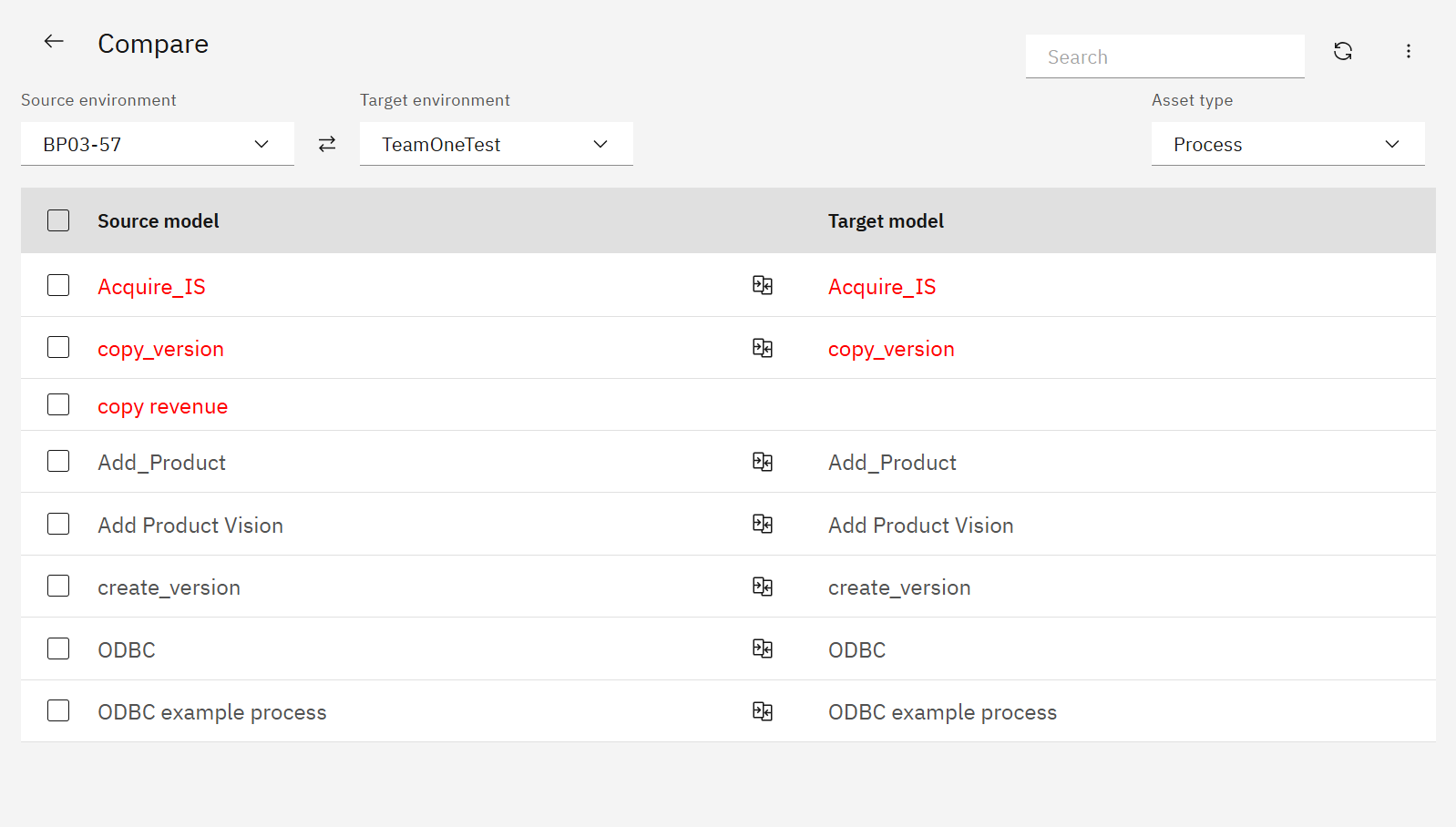
When you identify a change that needs to be moved, you can deploy directly from the comparison or add the relevant assets to a release for a more structured deployment workflow.
Create a release
Open Model lifecycle to view existing releases together with their descriptions and last updated times.
Select New release to create a release for a related set of changes.
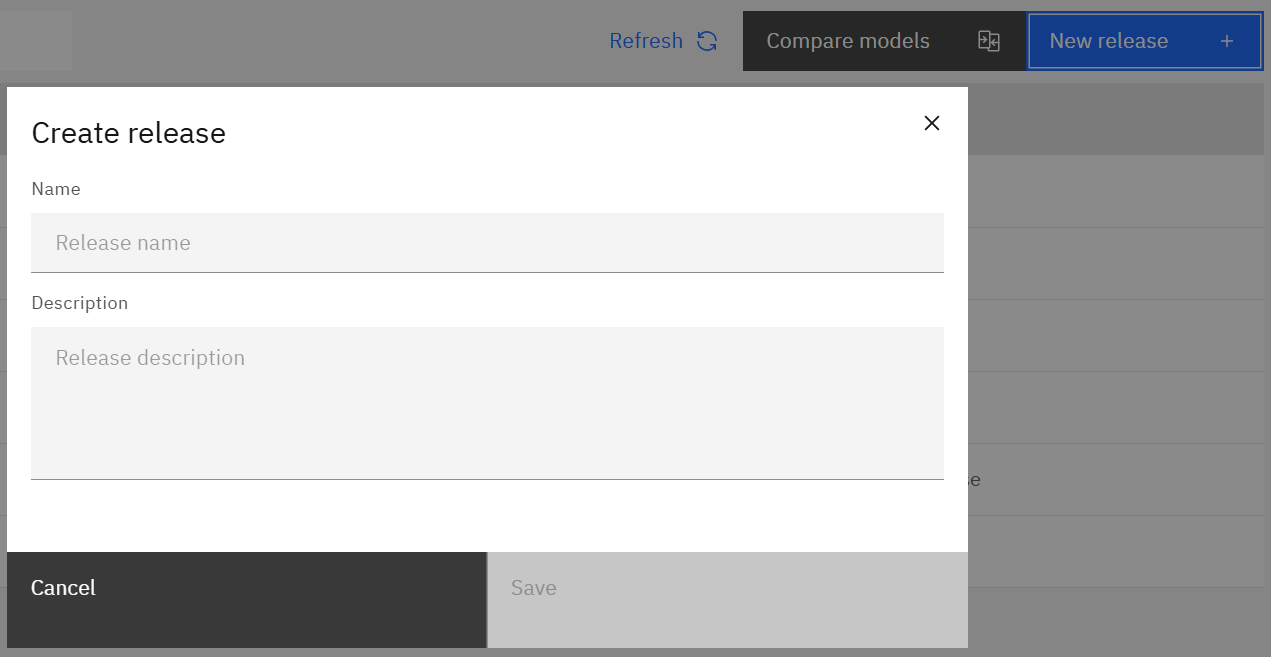
Enter a name and, optionally, a description. A clear release name and description make it easier to understand the purpose of the change when reviewing the release later.
Manage release assets
Open a release to see its saved assets, source environments, and last refresh times.

Available actions include:
- Compare — compare a saved asset with the corresponding object in the current target environment.
- Deploy — deploy selected assets to IBM Planning Analytics or Git.
- Sync latest — refresh saved assets from their source environment.
- Delete — remove assets from the release.
Select an asset to open the diff viewer and inspect changes at the code or definition level.
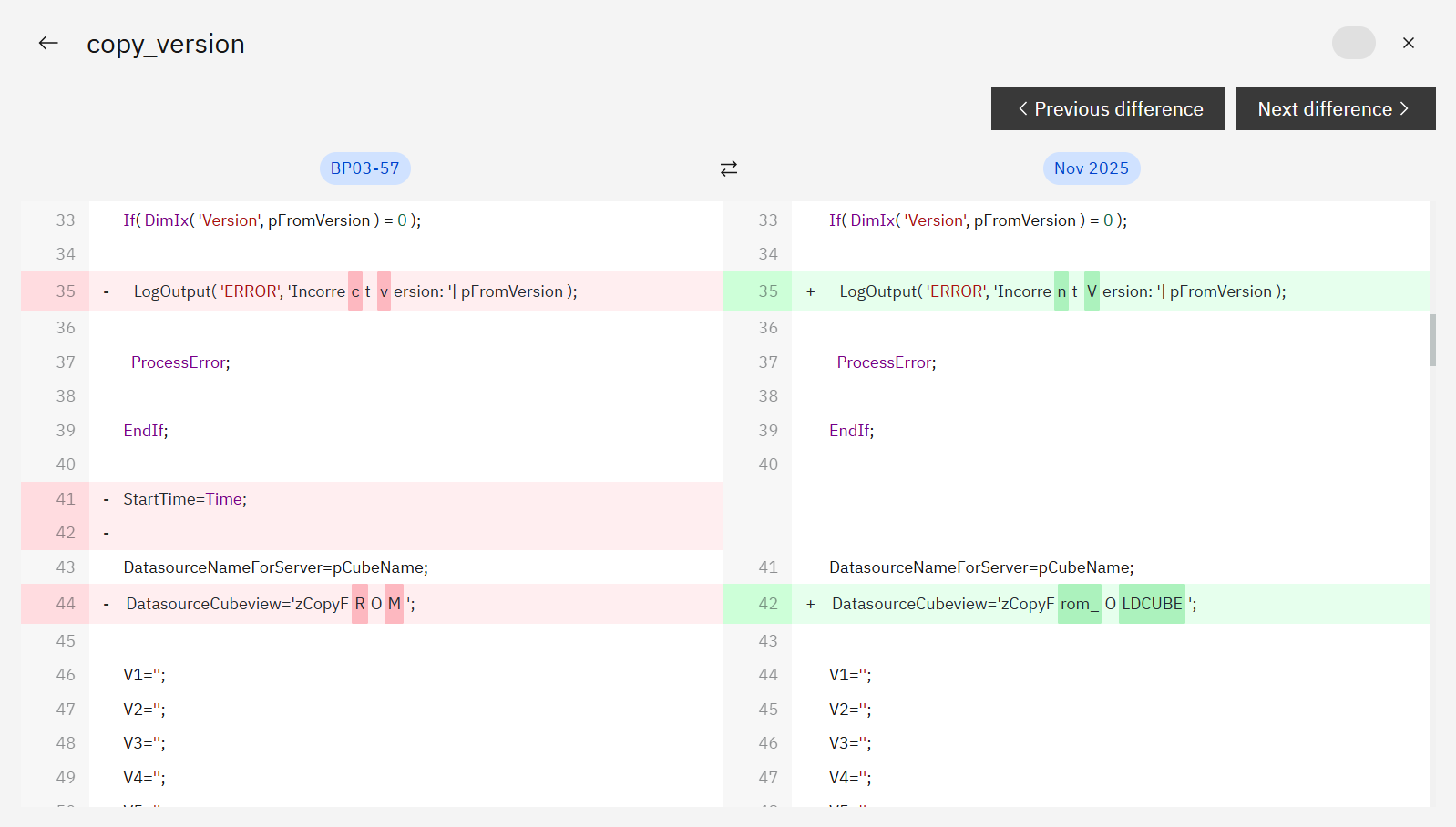
Use Previous difference and Next difference to move through the identified changes before deployment.
Deploy changes
Select the assets you want to deploy and choose Deploy.
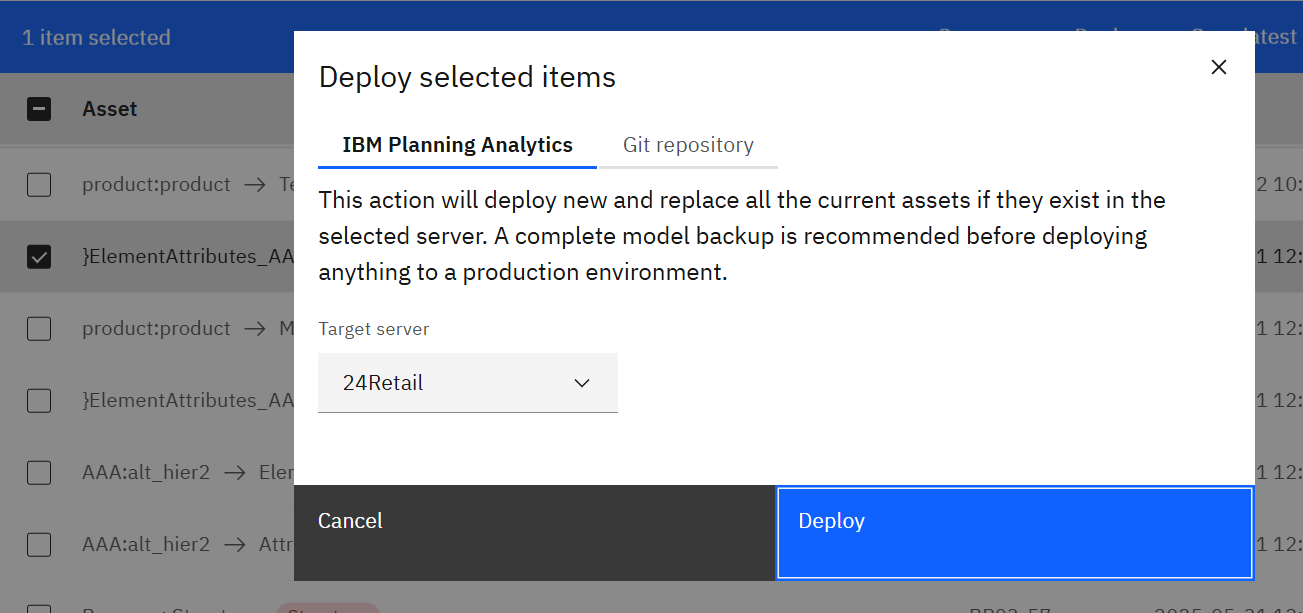
Choose the destination—an IBM Planning Analytics environment or configured Git repository—and confirm the deployment.
For smaller changes identified during an environment comparison, SPACE also supports deploying directly from Compare models without first assembling a release.
For coordinated changes involving multiple related assets, a release provides a structured way to keep those assets together and review them before deployment.
Keep release assets current
A release retains the assets that were added to it. When the corresponding objects continue to change in the source environment, use Sync latest to refresh the release with their current versions.
You can then compare the refreshed assets with the target environment before deployment.
This is useful when a release is assembled over time while development continues.
Review release history
SPACE records release activity so you can review how the release has changed over time.
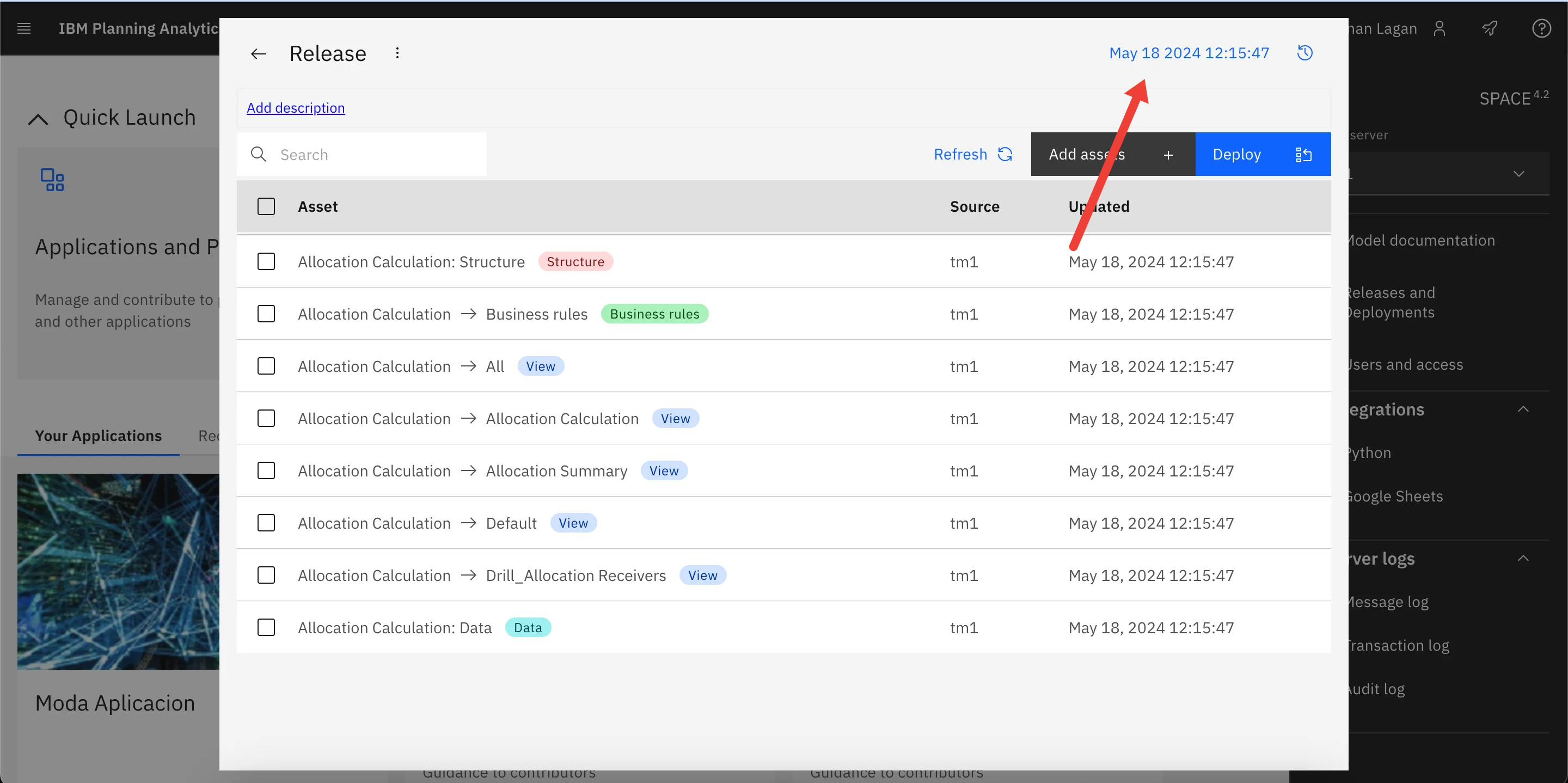
Select the timestamp in the upper-right corner of the release to view its history, including the user, time, and description associated with recorded add, compare, refresh, and deployment activity.
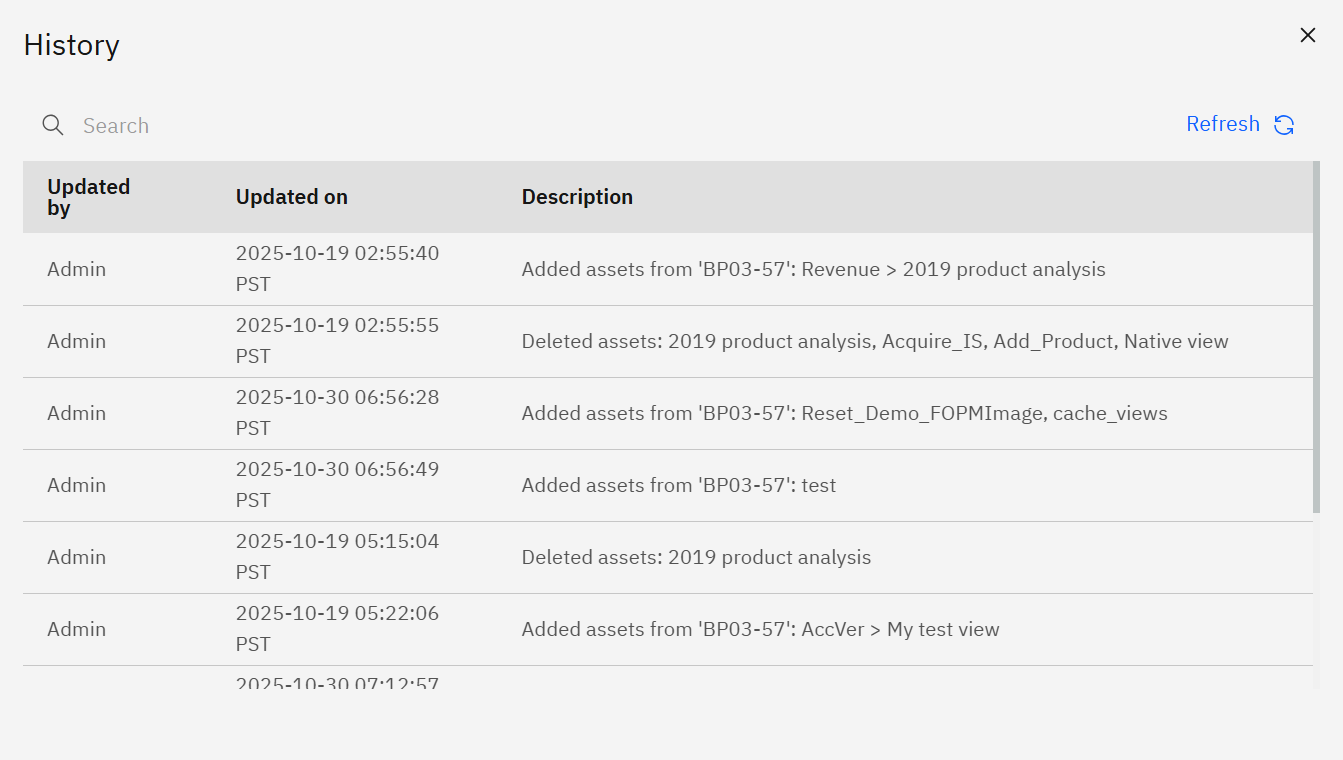
The release history provides a useful record for reviewing deployment activity and understanding how a release progressed from preparation through deployment.