
IBM Planning Analytics
IBM Planning Analytics connections allow SPACE to work with TM1 environments across IBM Planning Analytics Cloud, Planning Analytics Local, and IBM Planning Analytics as a Service.
Each connection defines the TM1 REST API endpoint and the authentication used for interactive users and, when required, non-interactive jobs and Python execution.
Detecting servers
The Detect option is available for IBM Planning Analytics on Cloud and IBM Planning Analytics as a Service connections.
Click Detect to discover Planning Analytics servers that are available to the configured cloud environment, then select the required result to add it as a SPACE connection.
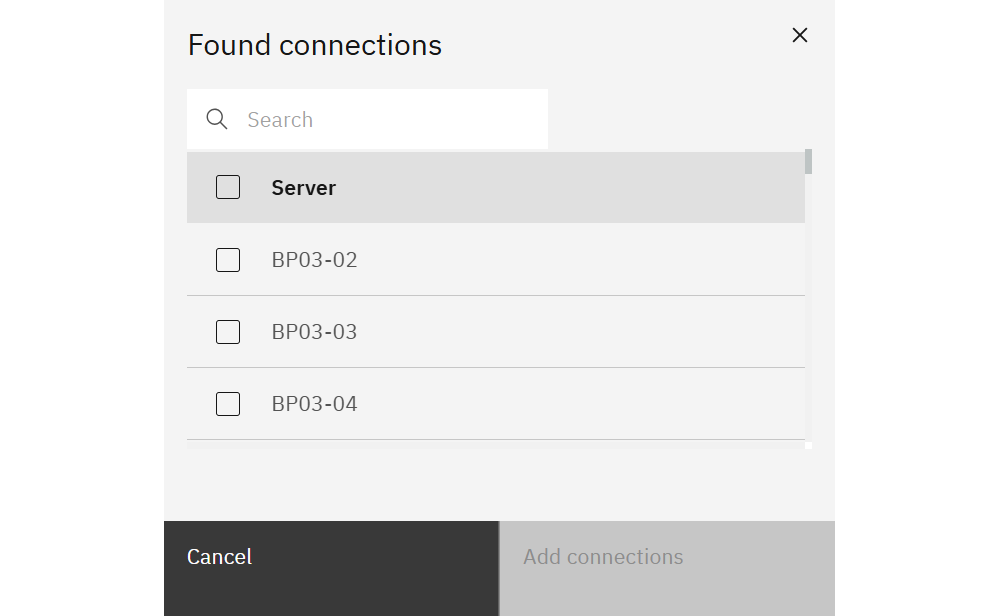
The Detect option is not available for IBM Planning Analytics Local. Local connections must be configured manually using the TM1 REST API endpoint and the appropriate authentication settings.
Creating or editing a connection
Choose New connection, or open an existing IBM Planning Analytics connection, to configure it.
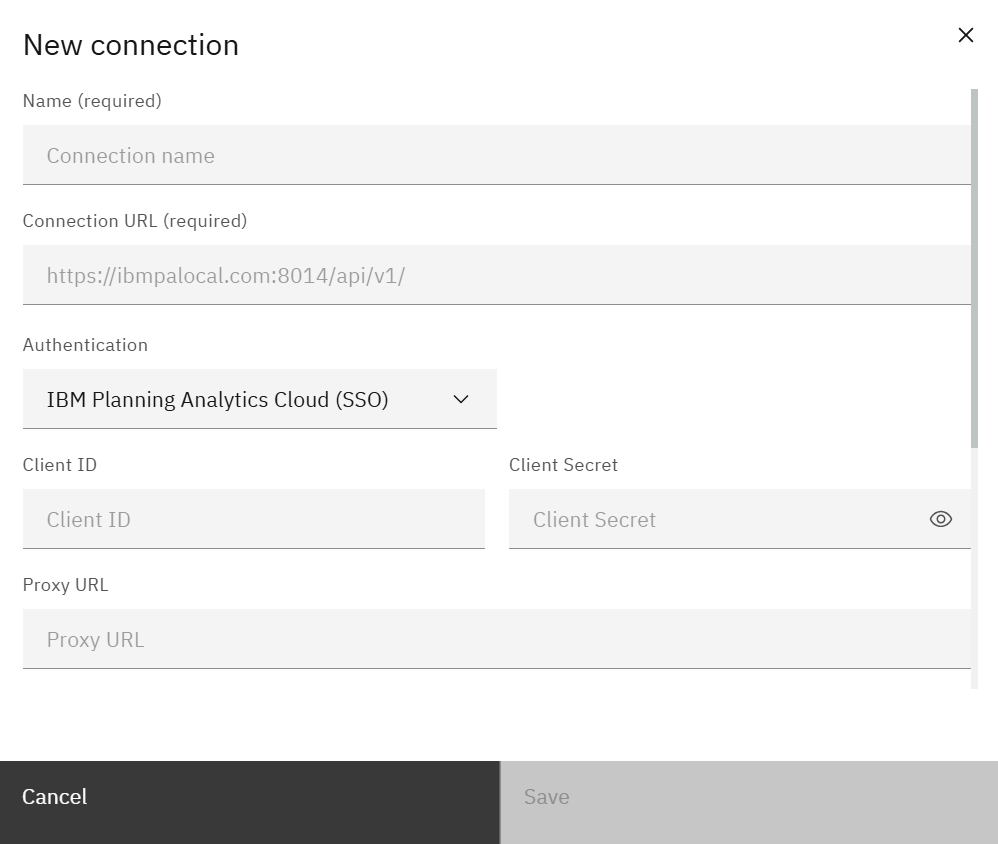
Provide:
- Connection Type – IBM Planning Analytics.
- Environment Type – descriptive label such as Production, UAT, QA, Development, or Sandbox.
- Name – friendly name shown throughout SPACE.
- Connection URL – TM1 REST API endpoint for the Planning Analytics environment.
Connection URL formats
The TM1 REST API URL format depends on the IBM Planning Analytics deployment type.
IBM Planning Analytics Local
https://TM1_HOST:TM1_PORT_NUMBER_/api/v1/TM1_HOSTis the TM1 server host.TM1_PORT_NUMBERis theHTTPPortNumberconfigured in the TM1tm1s.cfgfile.
IBM Planning Analytics Cloud
https://COMPANY.planning-analytics.cloud.ibm.com/tm1/api/TM1_SERVER_NAME/api/v1/Replace COMPANY with the Planning Analytics Cloud hostname and TM1_SERVER_NAME with the TM1 server name.
TM1_SERVER_NAME is case-sensitive.
IBM Planning Analytics as a Service
https://AWS_REGION.planninganalytics.saas.ibm.com/api/TENANT_ID/v0/tm1/TM1_SERVER_NAME/api/v1/Replace:
AWS_REGIONwith the IBM Planning Analytics as a Service region.TENANT_IDwith the tenant identifier.TM1_SERVER_NAMEwith the TM1 server name.
TM1_SERVER_NAME is case-sensitive.
The authentication fields shown in the form depend on the selected authentication method.
Use Test connection to validate the configuration before saving.
User credentials
User credentials define how interactive users authenticate when SPACE accesses the Planning Analytics connection.
SPACE supports:
| Authentication | Configuration |
|---|---|
| IBM Planning Analytics Cloud (SSO) | Client ID and Client Secret. Can reuse the active PAW session when available. |
| IBM Planning Analytics Cloud (Non-Interactive) | Namespace, Username, and Password. |
| IBM Planning Analytics Local (SSO) | Cognos Gateway URL and Proxy URL. |
| IBM Planning Analytics Local (CAM) | Namespace, Username, and Password. |
| IBM Planning Analytics Local (Basic) | Username and Password. |
| IBM Planning Analytics as a Service (API Key) | API Key. |
IBM Planning Analytics Cloud SSO
For IBM Planning Analytics Cloud (SSO), configure the OAuth Client ID and Client Secret for an authorized application.
Follow IBM's Configuring authorized applications (OAuth) documentation to create the authorized application and generate the OAuth credentials.
Reuse PAW session when available
For IBM Planning Analytics Cloud (SSO), enable Reuse PAW session when available to allow SPACE to reuse the user's active IBM Planning Analytics Workspace session when SPACE is running through the PAW extension.
This avoids requiring the user to authenticate again when an appropriate PAW session is already available.
Prompt for credentials
Authentication methods that use username/password or API-key credentials can support Prompt for credentials.
When enabled, SPACE asks each user to provide their own credentials instead of reusing credentials stored with the connection.
This is useful when users should authenticate to Planning Analytics individually but the connection does not use SSO.
Job credentials
Job credentials are separate from interactive user authentication. They provide stored credentials for non-interactive execution that cannot depend on a user's active session.
They are used by supported SPACE jobs and Python scripts that need to access the Planning Analytics connection automatically.
Because job execution is non-interactive, the available authentication methods are:
| Authentication | Configuration |
|---|---|
| IBM Planning Analytics Cloud (Non-Interactive) | Namespace, Username, and Password. |
| IBM Planning Analytics Local (CAM) | Namespace, Username, and Password. |
| IBM Planning Analytics Local (Basic) | Username and Password. |
| IBM Planning Analytics as a Service (API Key) | API Key. |
Use credentials appropriate for the automated workload rather than relying on an interactive user's session.
See Jobs for scheduled execution and Python for Python workflows.
Connection access
Connection access maps SPACE security roles to capabilities for a specific IBM Planning Analytics connection.
This allows the same SPACE role to have different permissions on different Planning Analytics environments. For example, a role can have read-only access to a production connection while receiving model-development capabilities on a development connection.
Open Access for a selected connection to view the role mappings.
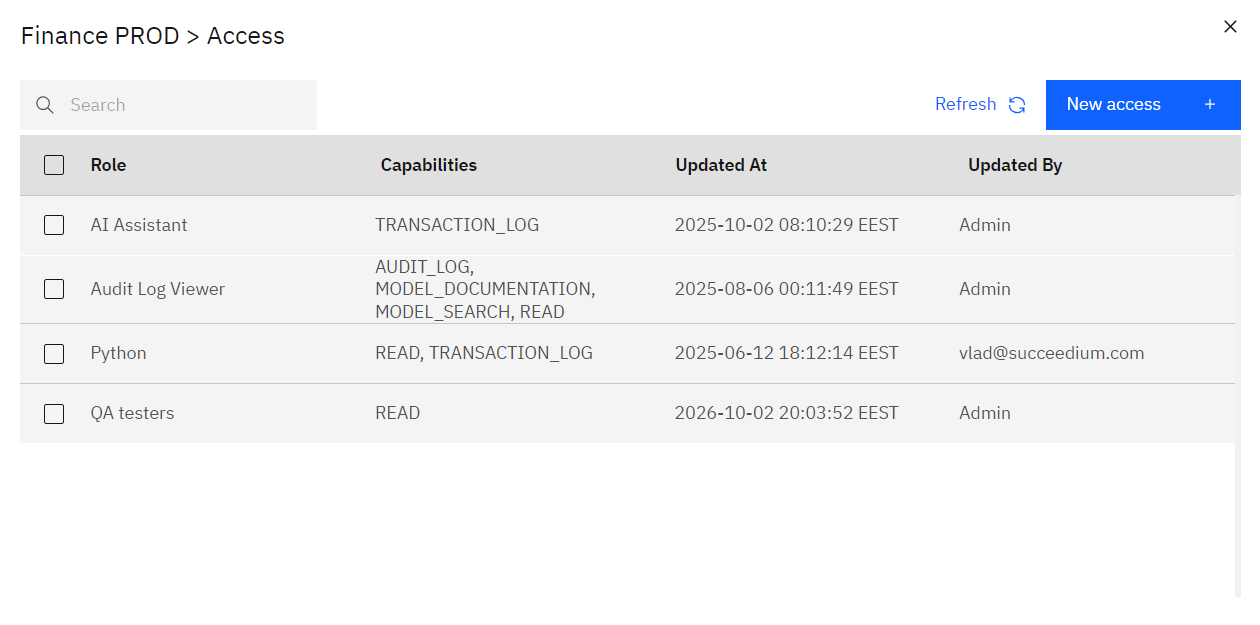
Create a role mapping with New access, or open an existing role to change its capabilities.
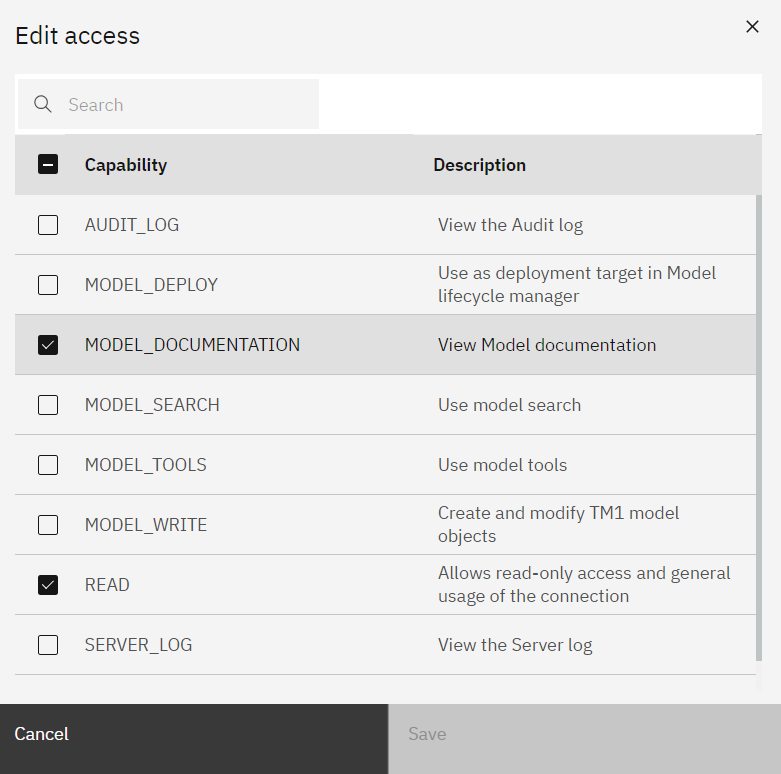
The available IBM Planning Analytics capabilities are:
| Capability | Description |
|---|---|
READ | Allows read-only access and general usage of the connection. |
MODEL_DOCUMENTATION | View Model documentation. |
MODEL_SEARCH | Use Model search. |
MODEL_TOOLS | Use model tools. |
MODEL_WRITE | Create and modify TM1 model objects. |
MODEL_DEPLOY | Use the connection as a deployment target in Model lifecycle. |
AUDIT_LOG | View the Audit log. |
SERVER_LOG | View the Server log. |
TRANSACTION_LOG | View the Transaction log. |
Grant only the capabilities required by the role.
SPACE connection capabilities control access to SPACE functionality for the connection. IBM Planning Analytics authentication and native TM1 security continue to apply when SPACE accesses the underlying Planning Analytics environment.