
Configuration
SPACE settings control how a SPACE instance connects to external systems, who can use it, how shared content is maintained, how AI is configured, and how scheduled and operational tasks are managed.
Administrators can open the SPACE sidebar and click the Settings icon to access the shared SPACE configuration areas. The Settings icon is shown only to admin users.
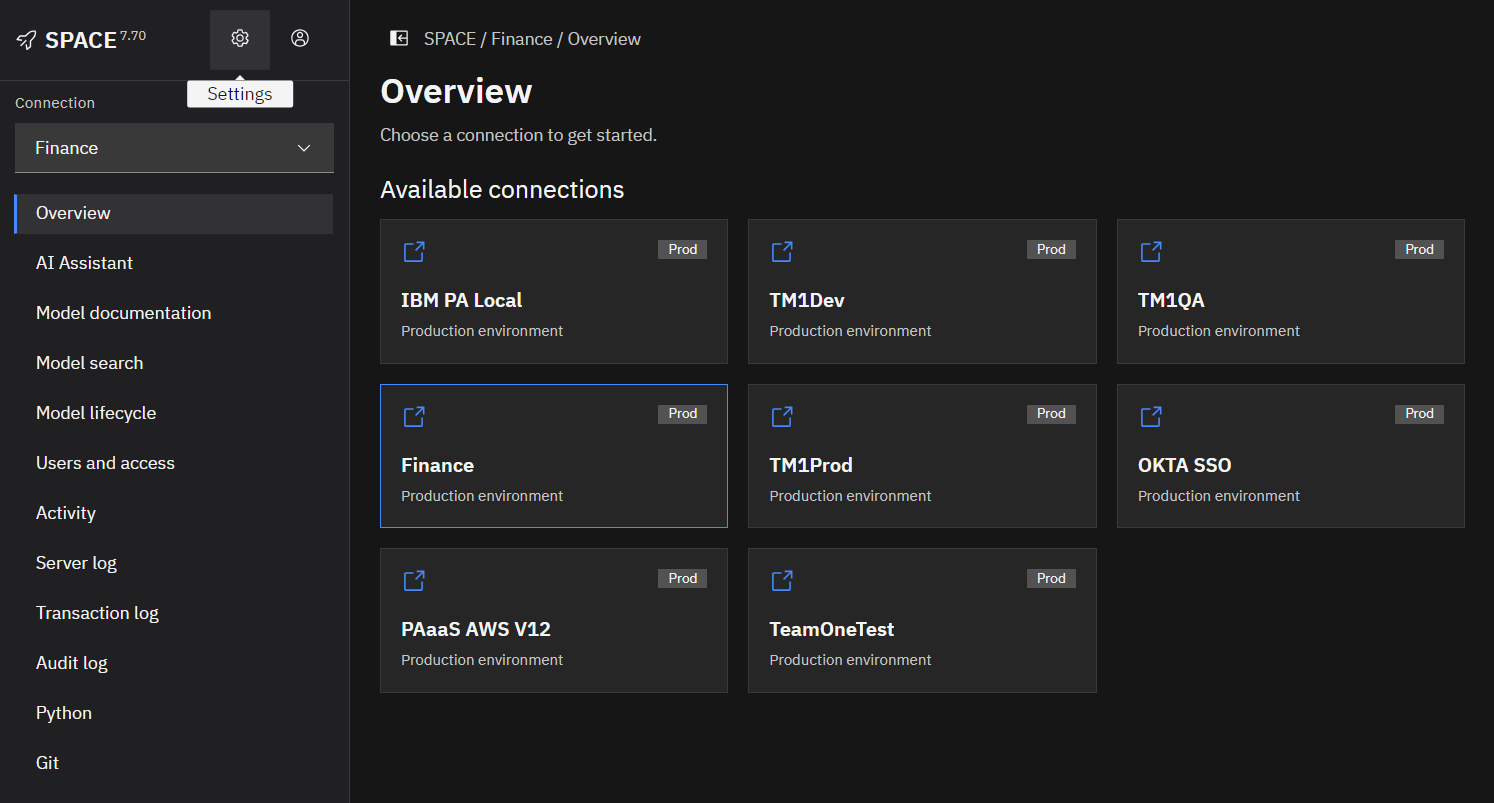
Configuration areas
The settings are organized by responsibility so administrators can move directly to the part of SPACE they need to manage.
| Settings area | What it manages |
|---|---|
| Connections | IBM Planning Analytics and supported external data connections, authentication, job credentials, and connection access. |
| Access | SPACE users, invitations, access tokens, roles, secrets and platform access. |
| Content | Cached model documentation and logs, manual updates, retention, and exports. |
| Configuration | System-wide settings for logging, synchronization, uploads, Python packages, model search, and other platform behavior. |
| AI | AI profiles, providers, models, and response settings. |
| Jobs | Scheduled model documentation and log updates, Python scripts, TM1 Git synchronization, and other automated tasks. |
| Journal | SPACE activity records, execution details, filtering, and exports. |
| Server | SPACE service resource usage and infrastructure health. |
A typical setup starts with Connections and Access, followed by any required AI, Content, Jobs, and system-level configuration.
PAW environments
Available only when using the SPACE extension with IBM Planning Analytics Workspace (PAW).
PAW environments contains the personal mappings used by the SPACE browser extension. It identifies the PAW environments where the extension is enabled and maps each PAW URL to the appropriate SPACE host and personal SPACE access token.
These mappings are not required when using the standalone SPACE web application.
A client can use one SPACE instance with multiple IBM Planning Analytics environments, so several PAW URLs can map to the same SPACE host. These personal extension mappings are separate from the shared server connections configured under Connections.
When using SPACE inside PAW, open the user menu and select PAW environments to view or manage your mappings. This option is available to extension users independently of the admin-only SPACE settings.
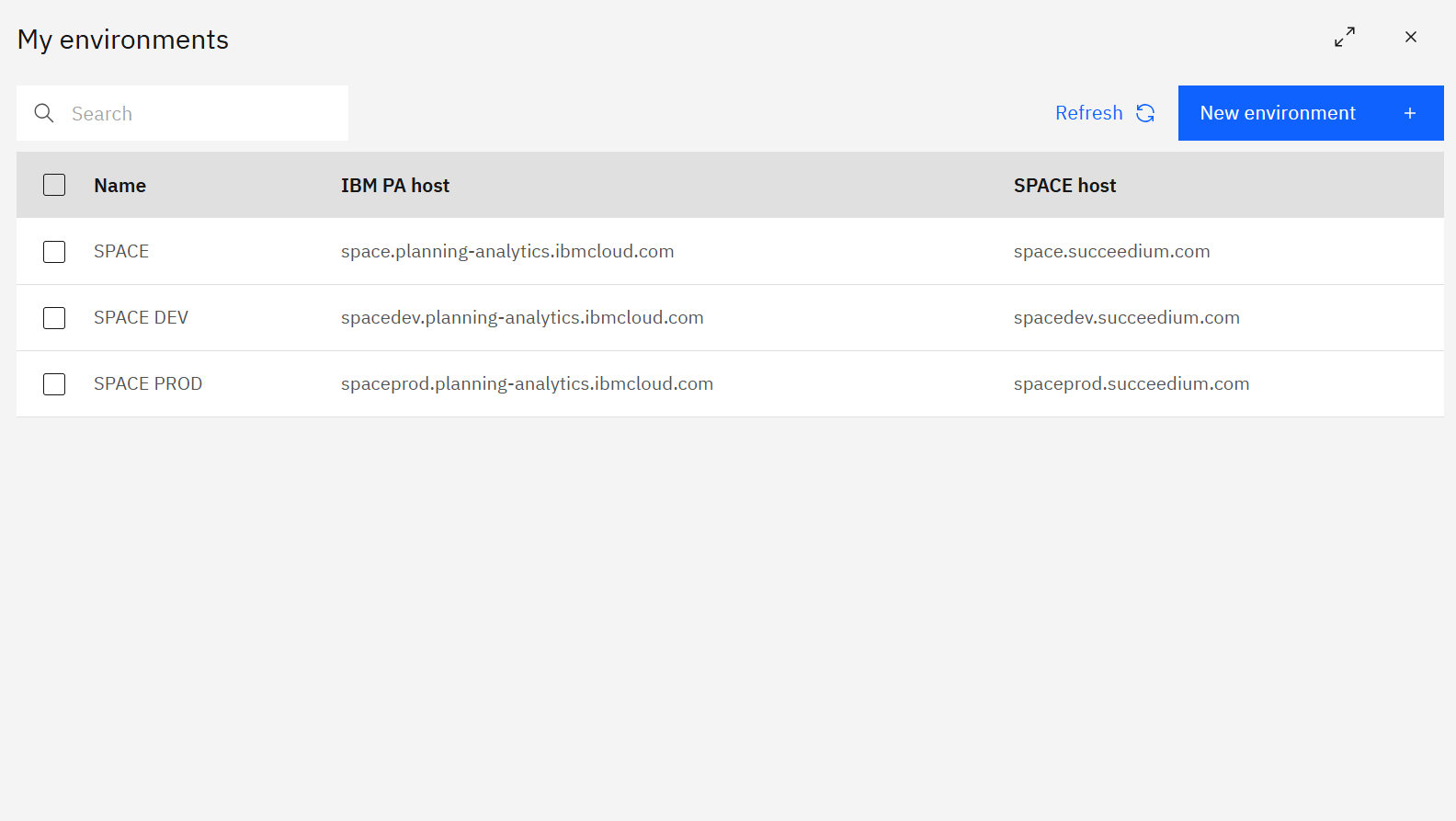
Each row identifies a PAW environment and its mapped SPACE host. Select a row to edit or delete it, or use Refresh to reload the list. Changes apply only to your personal extension configuration.
Adding or editing a PAW environment
Click New environment, or open an existing row, to edit the mapping.
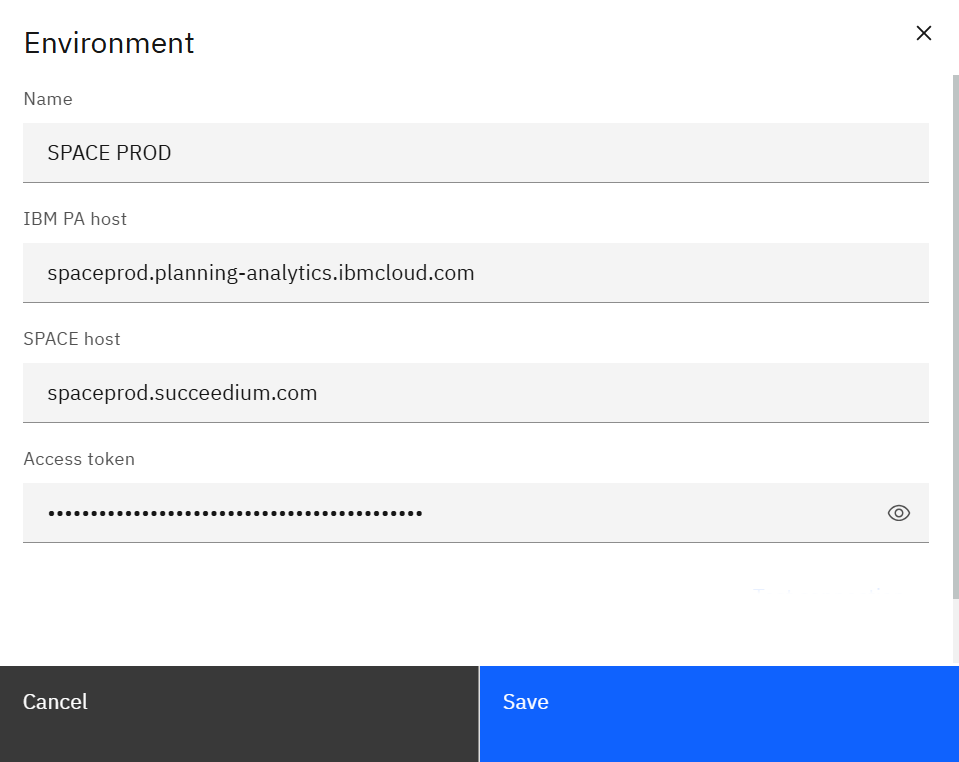
Provide:
- Name – label shown in the environment selector.
- IBM PA host – the PAW host where the SPACE extension is used, for example
spaceprod.planning-analytics.ibmcloud.com. - SPACE host – the SPACE server URL associated with that PAW environment.
- Access token – your personal SPACE access token. Use the eye icon to verify it before saving.
Save the record, then refresh the environments list to confirm the updated mapping.