
AI Assistant
The SPACE AI Assistant helps IBM Planning Analytics users understand SPACE functionality, inspect TM1 model objects, and get guided explanations directly inside IBM Planning Analytics Workspace.
Unlike a generic chatbot, the SPACE AI Assistant is designed to work inside the governed SPACE environment. It can use SPACE-controlled tools, respect user access, and provide answers based on the connected IBM Planning Analytics model.
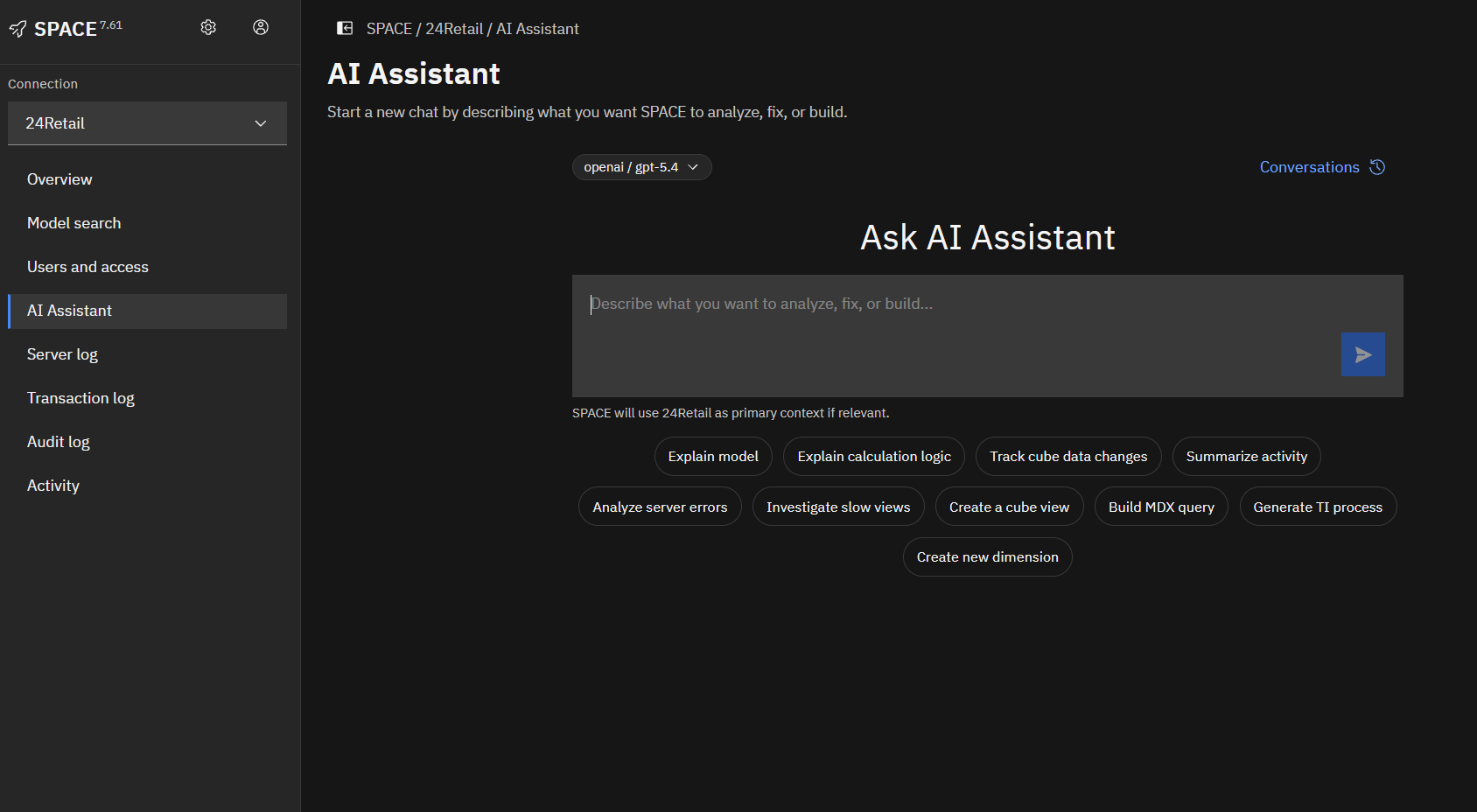
What can the AI Assistant help with?
The AI Assistant can help users:
- Ask questions about SPACE functionality
- Find and understand TM1 objects
- Explain cube rules and calculation logic
- Review TurboIntegrator process code
- Understand model structure and dependencies
- Summarize technical logic in business-friendly language
- Guide users through investigation and documentation workflows
The assistant is especially useful when users need help understanding how a TM1 model works without manually searching through cubes, rules, processes, and documentation.
How it works
The AI Assistant combines a conversational interface with SPACE tools.
When a user asks a question, SPACE can allow the assistant to use approved tools to inspect the connected model. For example, the assistant may retrieve a cube rule, inspect a process, search for model objects, or review available documentation before responding.
The assistant does not replace SPACE security. It operates through SPACE and follows the access available to the current user.
Example questions
Users can ask questions such as:
What does the Sales cube rule do?Explain the Load_GL_Actuals process.Find cubes related to actuals.How do I compare two TM1 environments in SPACE?Which process updates the reporting cube?Summarize this model logic for a business user.Model-aware assistance
When connected to an IBM Planning Analytics environment, the AI Assistant can help explain TM1 model objects such as:
- Cubes
- Dimensions
- Rules
- Feeders
- TurboIntegrator processes
- Chores
- Logs and audit information
- Model documentation and dependency diagrams
The assistant is most helpful when it can use structured model information from SPACE instead of relying only on a general language model response.
SPACE documentation help
The AI Assistant can also help users understand how to use SPACE itself.
For example, users can ask about:
- Model documentation
- Lifecycle management
- Git integration
- Python integration
- Logs and audit
- Security manager
- Connection setup
- AI Assistant behavior
This helps users get answers without leaving IBM Planning Analytics Workspace.
Governed access
The AI Assistant is designed to respect SPACE permissions and IBM Planning Analytics access controls.
Users should only be able to use tools and inspect objects they are allowed to access. Admin users can configure AI profiles, available models, and assistant behavior based on the deployment requirements.
AI profiles
SPACE AI profiles define how the assistant connects to an AI provider and how responses are generated.
AI profile settings may include:
- Provider
- Model
- Maximum input tokens
- Maximum output tokens
- Temperature
- Connection credentials or provider configuration
If token or temperature fields are left empty, SPACE uses its configured defaults.
Conversation memory
The AI Assistant can maintain conversation context so users can ask follow-up questions.
For longer conversations, SPACE may summarize older messages into compact conversation memory. This helps keep the assistant responsive while preserving the important context from earlier parts of the conversation.
Original messages remain stored in SPACE. Compaction only changes what is sent back to the AI model for future context.
Markdown responses
Assistant responses support Markdown formatting, including:
- Headings
- Lists
- Tables
- Inline code
- Code blocks
- Links
This makes technical explanations, rule summaries, process reviews, and documentation-style responses easier to read.
Recommended usage
Use the AI Assistant for guided analysis and explanation.
For example:
- Ask a broad question about a cube, process, or SPACE feature.
- Review the assistant’s summary.
- Ask follow-up questions about specific sections.
- Use SPACE tools and documentation for validation when needed.
The assistant is best used as a productivity and explanation layer on top of SPACE, not as a replacement for governed review and testing.
Limitations
The AI Assistant may not always have enough information to answer every question. If the model structure is ambiguous, the assistant may ask for clarification or explain its assumptions.
For critical changes, users should still validate results through SPACE, IBM Planning Analytics, and standard review processes.